EL表達式和JSTL概述
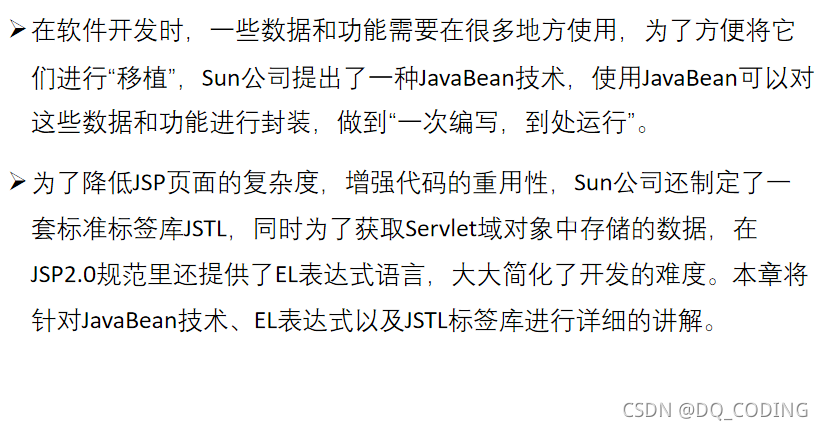
java Bean規范
java中成員變量使用類Integer
private Integer count;
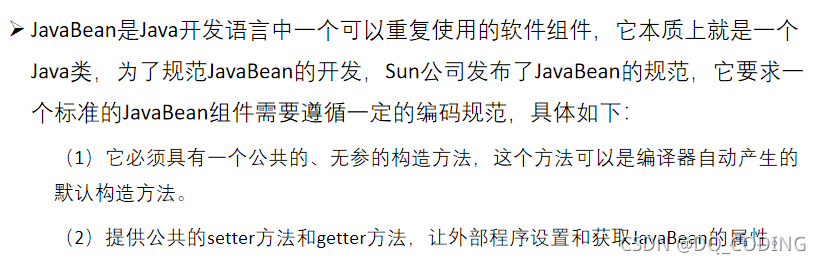
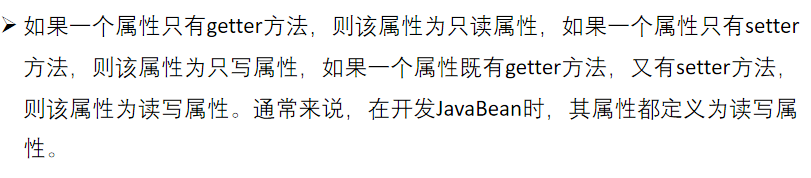
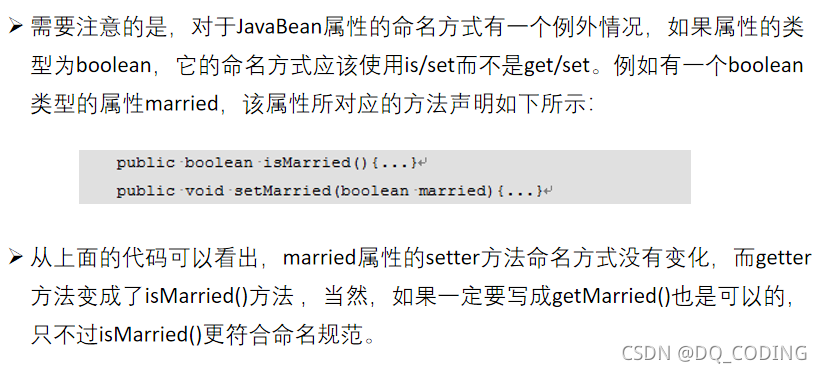
java Bean的創建
創建java Bean: BookTest.java
package com.example.elandjstl.bean;public class BookTest {//java中成員變量使用類Integerprivate Integer count;private Boolean isBuy;//無參構造方法public BookTest() {}public BookTest(Integer count, Boolean isBuy) {this.count = count;this.isBuy = isBuy;}public Integer getCount() {return count;}public void setCount(Integer count) {this.count = count;}public Boolean getIsBuy() {return isBuy;}public void setBuy(Boolean buy) {isBuy = buy;}}在jsp中簡單使用Java Bean
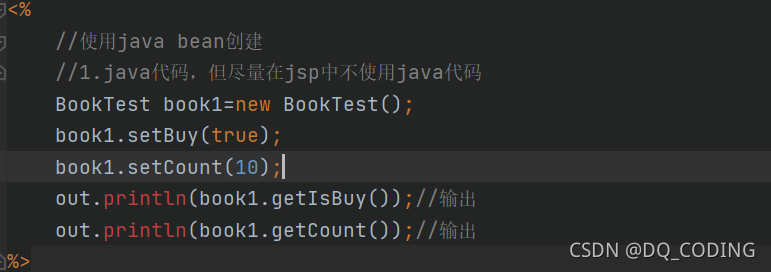
1.java代碼
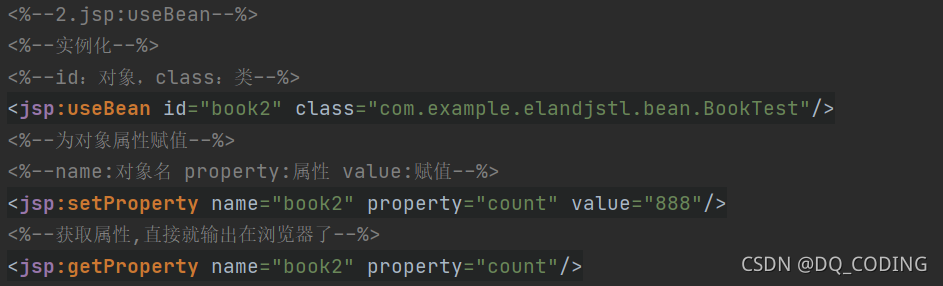
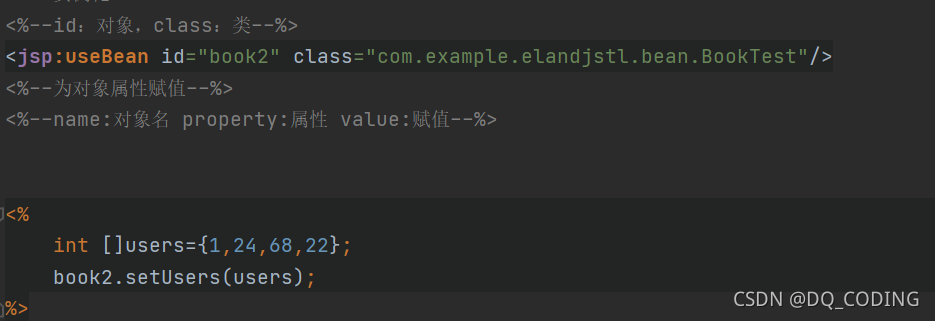
2.jsp:useBean方式:只賦值常量值:整型,小數,字符串等,如果是java的數組之類的直接使用java代碼
總代碼:
<%@ page import="com.example.elandjstl.bean.BookTest" %><%--Created by IntelliJ IDEA.User: DQDate: 2021/11/1Time: 14:18To change this template use File | Settings | File Templates.
--%>
<%@ page contentType="text/html;charset=UTF-8" language="java" %>
<html>
<head><title>Title</title>
</head>
<body>
<%//使用java bean創建//1.java代碼,但盡量在jsp中不使用java代碼BookTest book1=new BookTest();book1.setBuy(true);book1.setCount(10);out.println(book1.getIsBuy());//輸出out.println(book1.getCount());//輸出
%><br>
<%--2.jsp:useBean--%>
<%--實例化--%>
<%--id:對象,class:類--%>
<jsp:useBean id="book2" class="com.example.elandjstl.bean.BookTest"/>
<%--為對象屬性賦值--%>
<%--name:對象名 property:屬性 value:賦值--%>
<jsp:setProperty name="book2" property="count" value="888"/>
<%--獲取屬性,直接就輸出在瀏覽器了--%>
<jsp:getProperty name="book2" property="count"/></body>
</html>
jsp中定義java bean
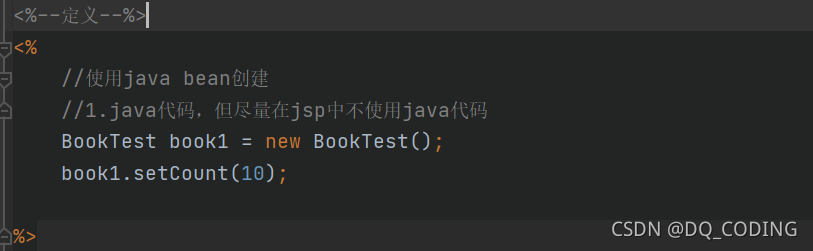
1.java 代碼
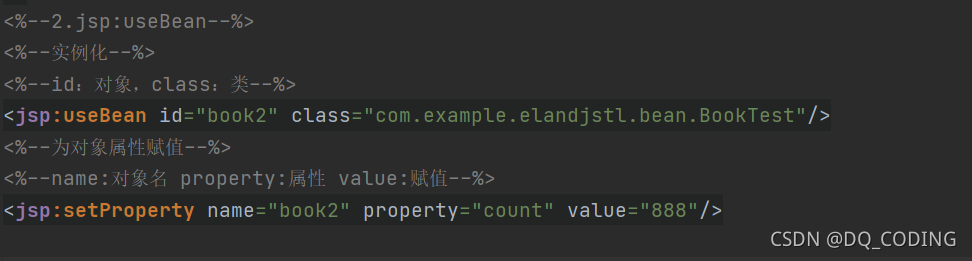
2.jsp:useBean
代碼:
<%--定義--%>
<%//使用java bean創建//1.java代碼,但盡量在jsp中不使用java代碼BookTest book1 = new BookTest();book1.setCount(10);%>
<%--2.jsp:useBean--%>
<%--實例化--%>
<%--id:對象,class:類--%>
<jsp:useBean id="book2" class="com.example.elandjstl.bean.BookTest"/>
<%--為對象屬性賦值--%>
<%--name:對象名 property:屬性 value:賦值--%>
<jsp:setProperty name="book2" property="count" value="888"/>
jsp中獲取java bean
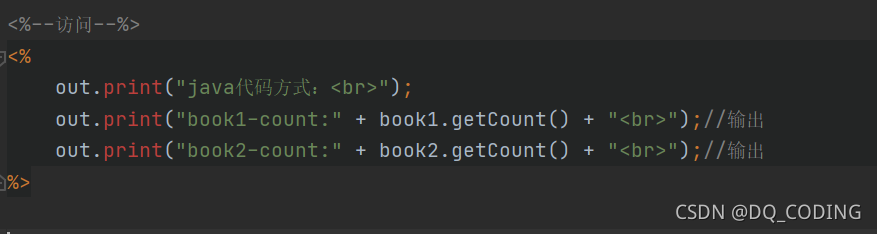
1.java代碼
2.jsp表達式

3.jsp動作標簽
不能獲取java中定義的對象book1,并且會報錯

4.EL表達式
不能獲取java中定義的對象book1,但顯示時,不會出現任何內容,不會輕易報錯
訪問代碼:
<%--訪問--%>
<%out.print("java代碼方式:<br>");out.print("book1-count:" + book1.getCount() + "<br>");//輸出out.print("book2-count:" + book2.getCount() + "<br>");//輸出
%>jsp表達式方式:<br>
book1.getCount()=<%=book1.getCount()%><br>
book2.getCount()=<%=book2.getCount()%><br>jsp:getProperty動作元素:<br>
<%--獲取屬性,直接就輸出在瀏覽器了--%>
<%--<jsp:getProperty name="book1" property="count"/>報錯,動作標簽不能訪問java中定義的對象--%>
<br>
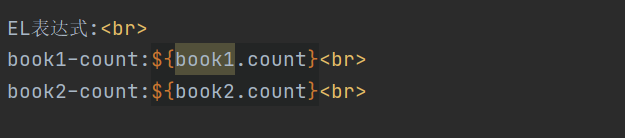
<jsp:getProperty name="book2" property="count"/>EL表達式:<br>
book1-count:${book1.count}<br>
book2-count:${book2.count}<br>
jsp中java bean定義和獲取總代碼
<%@ page import="com.example.elandjstl.bean.BookTest" %><%--Created by IntelliJ IDEA.User: DQDate: 2021/11/1Time: 14:18To change this template use File | Settings | File Templates.
--%>
<%@ page contentType="text/html;charset=UTF-8" language="java" %>
<html>
<head><title>Title</title>
</head>
<body>
<%--定義--%>
<%//使用java bean創建//1.java代碼,但盡量在jsp中不使用java代碼BookTest book1 = new BookTest();book1.setCount(10);%>
<%--2.jsp:useBean--%>
<%--實例化--%>
<%--id:對象,class:類--%>
<jsp:useBean id="book2" class="com.example.elandjstl.bean.BookTest"/>
<%--為對象屬性賦值--%>
<%--name:對象名 property:屬性 value:賦值--%>
<jsp:setProperty name="book2" property="count" value="888"/><%--訪問--%>
<%out.print("java代碼方式:<br>");out.print("book1-count:" + book1.getCount() + "<br>");//輸出out.print("book2-count:" + book2.getCount() + "<br>");//輸出
%>jsp表達式方式:<br>
book1.getCount()=<%=book1.getCount()%><br>
book2.getCount()=<%=book2.getCount()%><br>jsp:getProperty動作元素:<br>
<%--獲取屬性,直接就輸出在瀏覽器了--%>
<%--<jsp:getProperty name="book1" property="count"/>報錯,動作標簽不能訪問java中定義的對象--%>
<br>
<jsp:getProperty name="book2" property="count"/>EL表達式:<br>
book1-count:${book1.count}<br>
book2-count:${book2.count}<br></body>
</html>
EL表達式
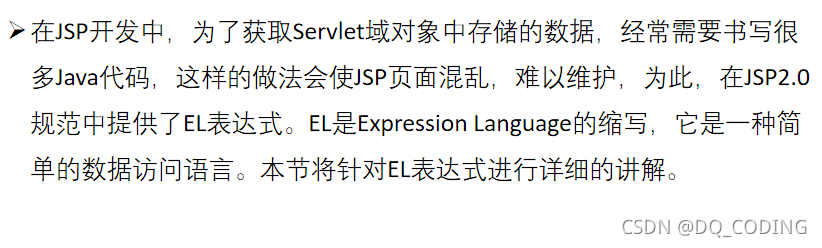
獲取Seervlet域對象
在jsp代碼中書寫:

不會輕易報錯,只是顯示時不會出現任何內容
如:
不能獲取java中定義的對象book1,但顯示時,不會出現任何內容
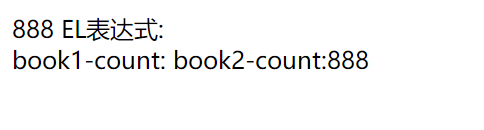
EL表達式的book2.count實際上是調用java bean的getter方法
EL表達式的請求轉發案例
ElServlet1.java代碼:
@WebServlet(name = "ElServlet1", value = "/ElServlet1")
public class ElServlet1 extends HttpServlet {@Overrideprotected void doGet(HttpServletRequest request, HttpServletResponse response) throws ServletException, IOException {request.setAttribute("username", "dq");request.setAttribute("password", "password");//請求轉發RequestDispatcher requestDispatcher = request.getRequestDispatcher("/elServlet1.jsp");requestDispatcher.forward(request,response);}@Overrideprotected void doPost(HttpServletRequest request, HttpServletResponse response) throws ServletException, IOException {}
}
elServlet1.jsp
<%@ page contentType="text/html;charset=UTF-8" language="java" %>
<html>
<head><title>Title</title>
</head>
<body>
1、第一種方式獲取:<br>
username=<%=request.getAttribute("username")%><br>
password=<%=request.getAttribute("password")%><br>
<hr>2、El表達式獲取域對象:<br>
<%--字符串--%>
<%--輸出結果:
El表達式獲取域對象:
username=username
password=password
--%>
username=${"username"}<br>
password=${"password"}<br><%--輸出結果:
username=dq
password=password
--%>
username=${username}<br>
password=${password}<br>等效于:
<%--輸出
username=dq
password=password
--%>
username=${requestScope.username}<br>
password=${requestScope.password}<br>
</body>
</html>
EL表達式的標識符
所有自己命名的地方
命名規則:
1.不能以數字開頭;
2.不能是EL中的保留字,如and、or、gt;
3.不能是EL隱式對象,如pageContext;
4.不能包含單引號(’)、雙引號(")、減號(-)和正斜線等特殊字符。
EL表達式的保留字/關鍵字
保留字就是編程語言里事先定義好并賦予了特殊含義的單詞,和其他語言一樣,EL表達式中也定義了許多保留字,如false、not等:
and,or,not:與或非
ne不等于,eq等于
le小于 ge大于
lt小于等于 gt大于等于

EL表達式的常量
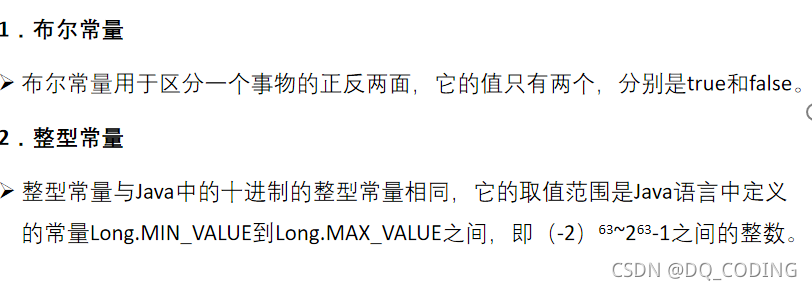
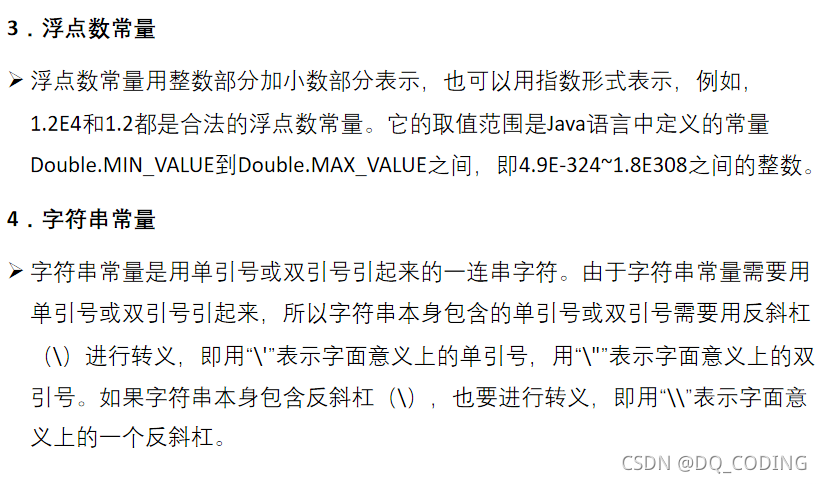
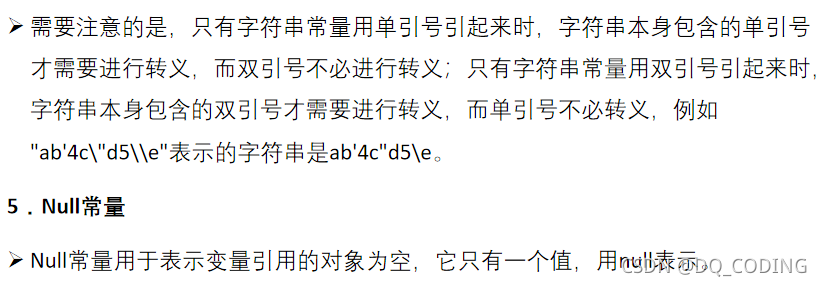
說明:
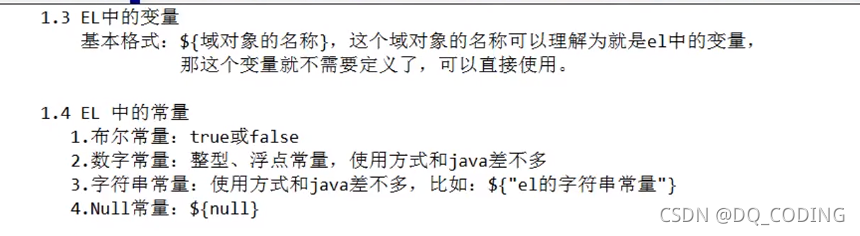
EL表達式的運算符
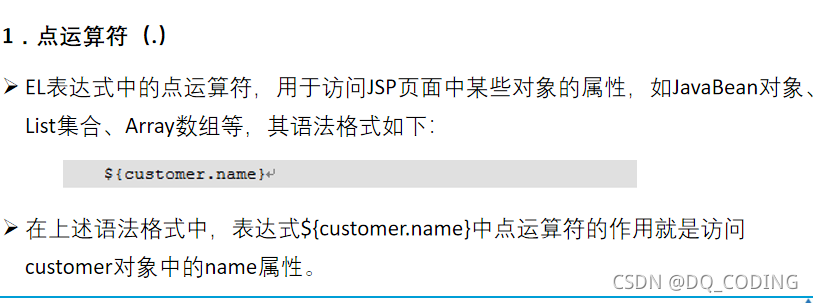
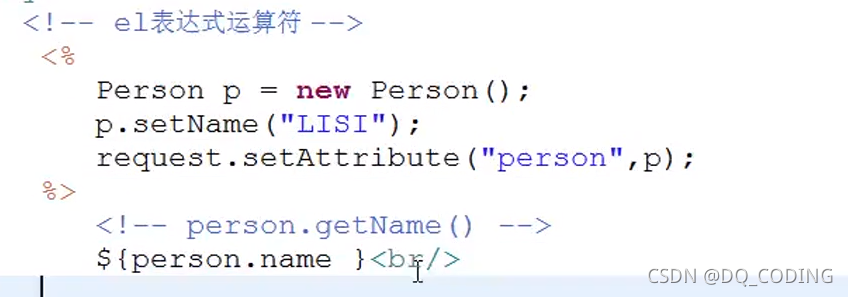
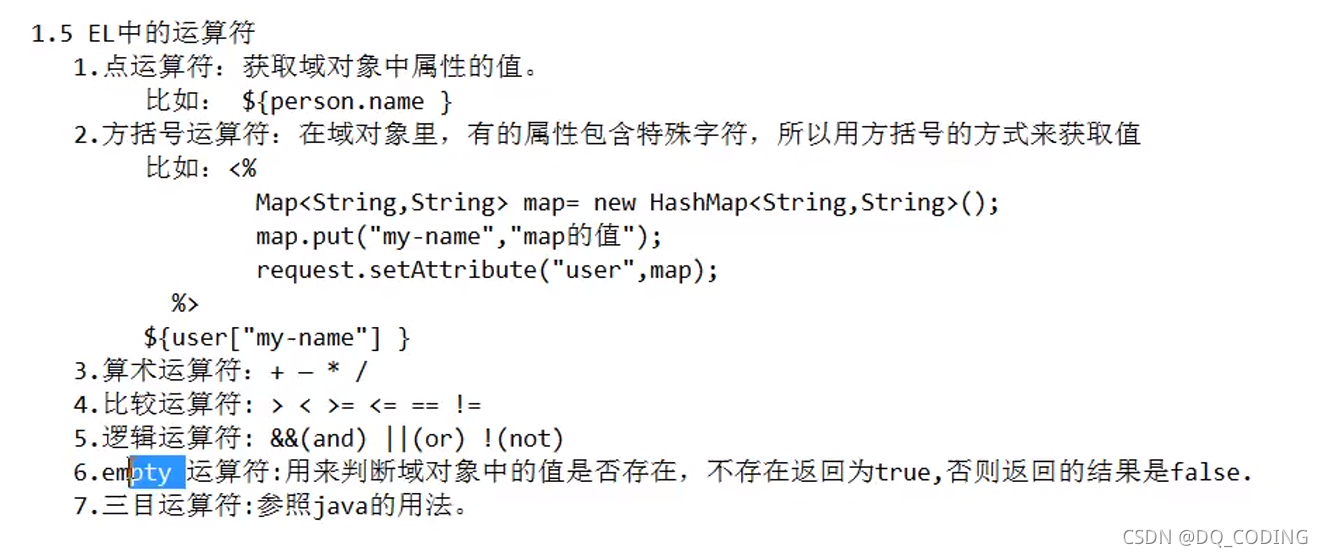
點運算符
取對象的屬性,使用.而不是get
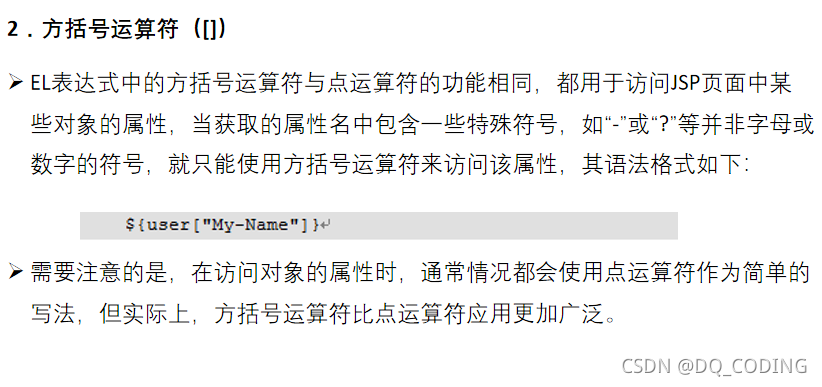
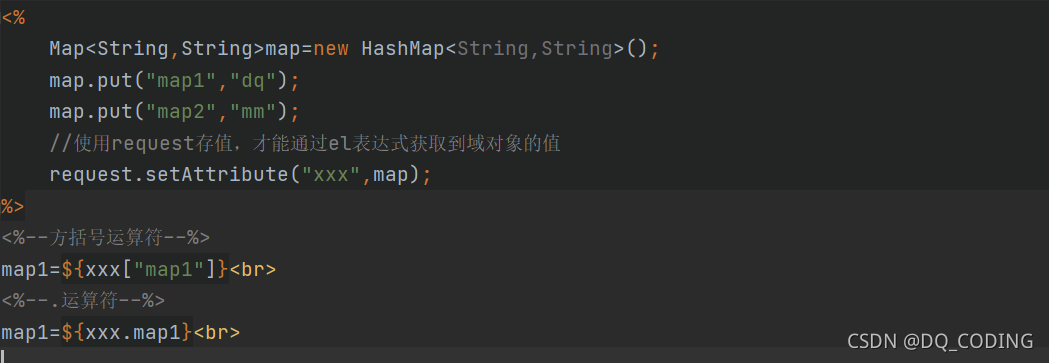
方括號運算符
.運算符不能訪問具有特殊字符的屬性
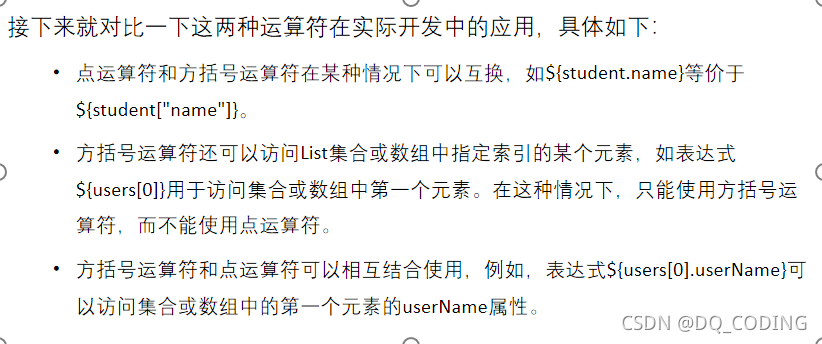
方括號訪問數組對象的元素
使用案例1:
定義:
輸出:

使用案例2:
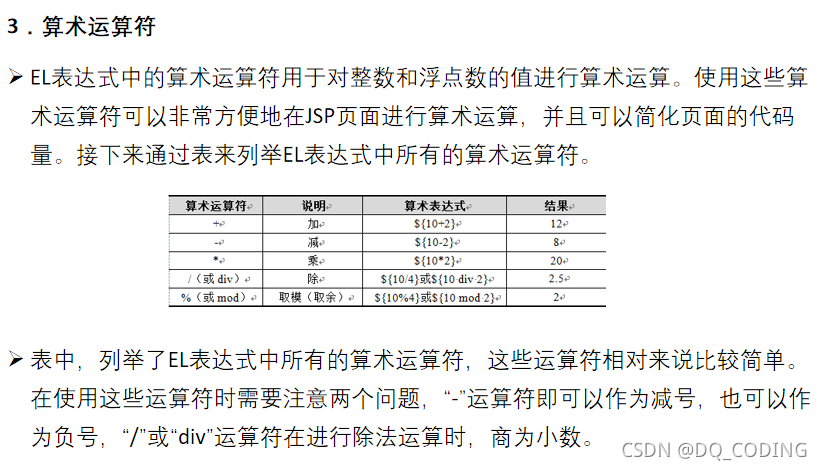
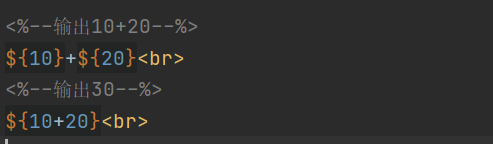
算術運算符
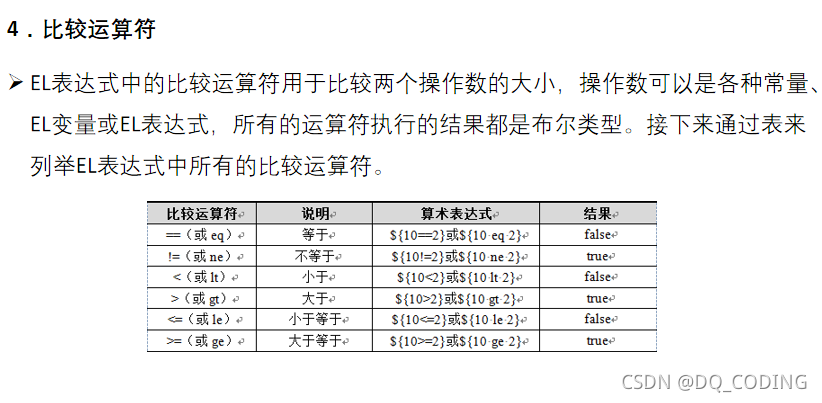
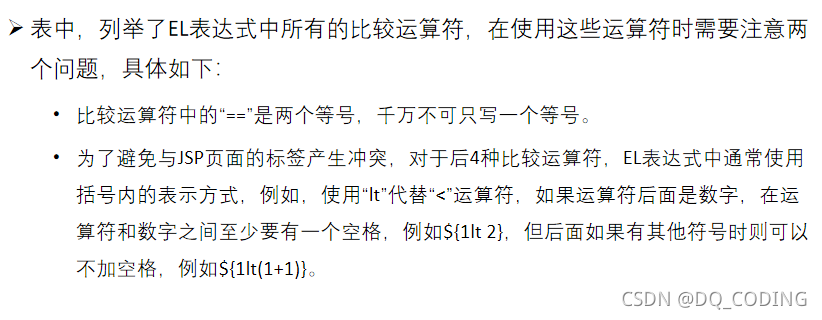
比較運算符
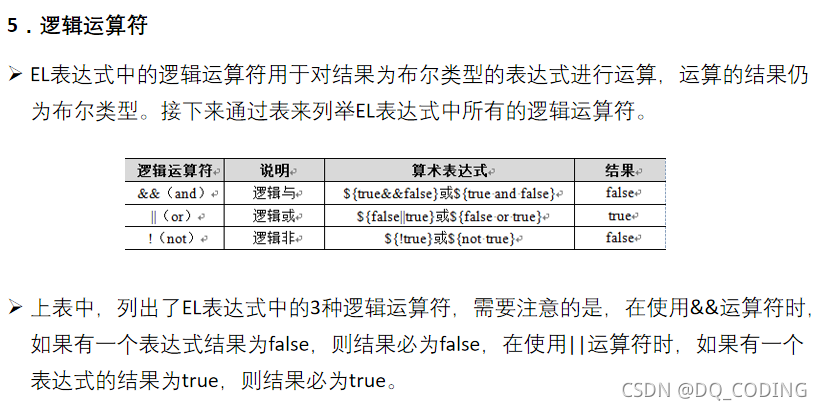
邏輯運算符
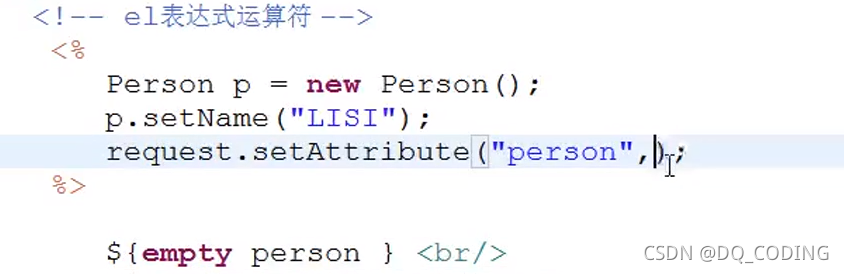
empty運算符
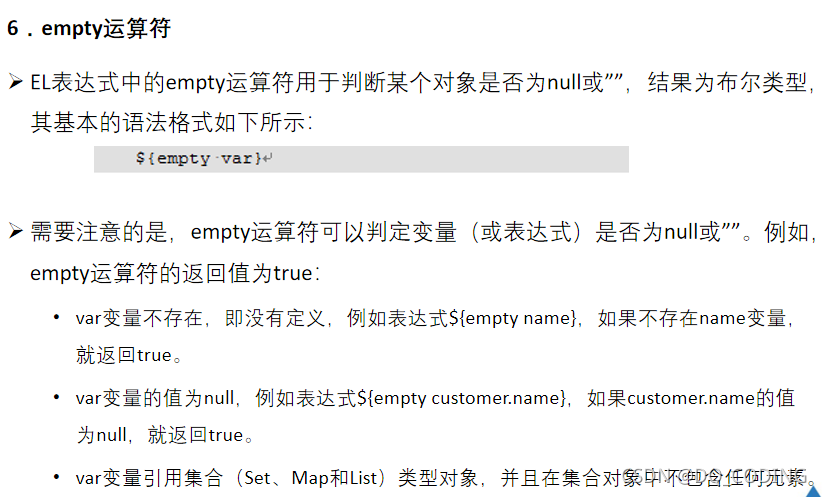
案例:返回結果為true或false
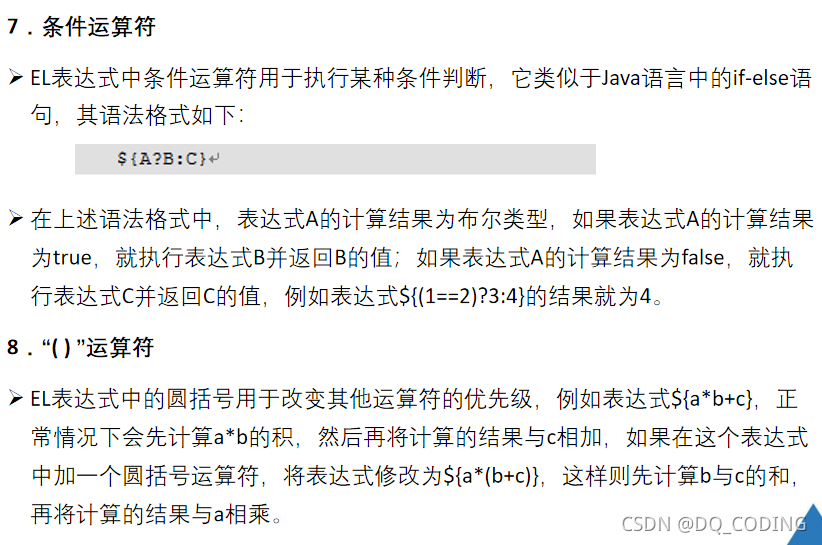
條件運算符
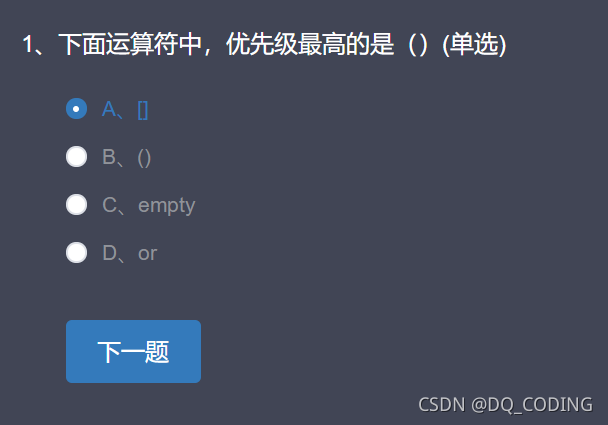
注意

EL表達式運算符總結
代碼案例:
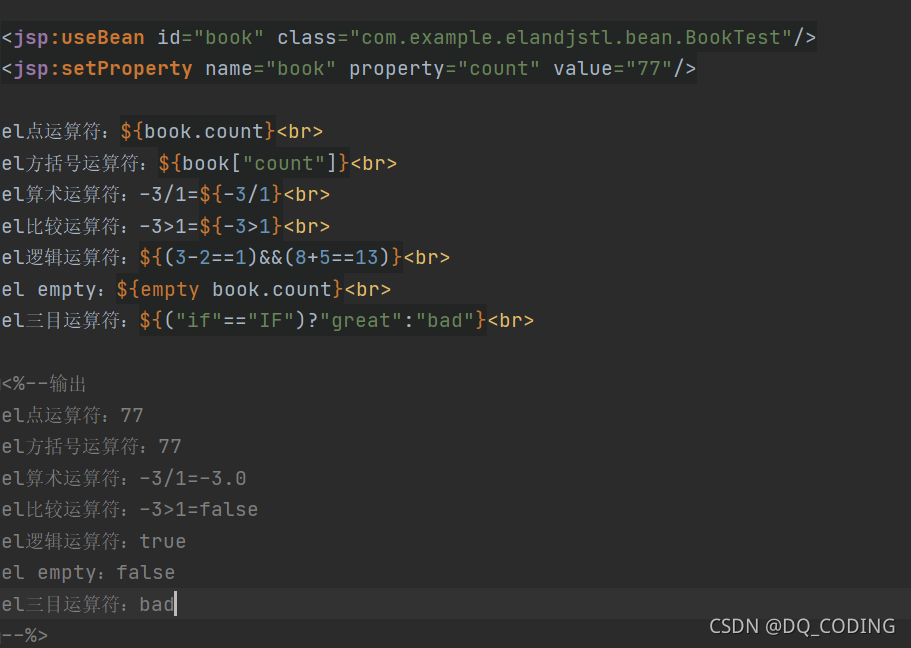
<jsp:useBean id="book" class="com.example.elandjstl.bean.BookTest"/>
<jsp:setProperty name="book" property="count" value="77"/>el點運算符:${book.count}<br>
el方括號運算符:${book["count"]}<br>
el算術運算符:-3/1=${-3/1}<br>
el比較運算符:-3>1=${-3>1}<br>
el邏輯運算符:${(3-2==1)&&(8+5==13)}<br>
el empty:${empty book.count}<br>
el三目運算符:${("if"=="IF")?"great":"bad"}<br><%--輸出
el點運算符:77
el方括號運算符:77
el算術運算符:-3/1=-3.0
el比較運算符:-3>1=false
el邏輯運算符:true
el empty:false
el三目運算符:bad
--%>
EL表達式的隱式對象
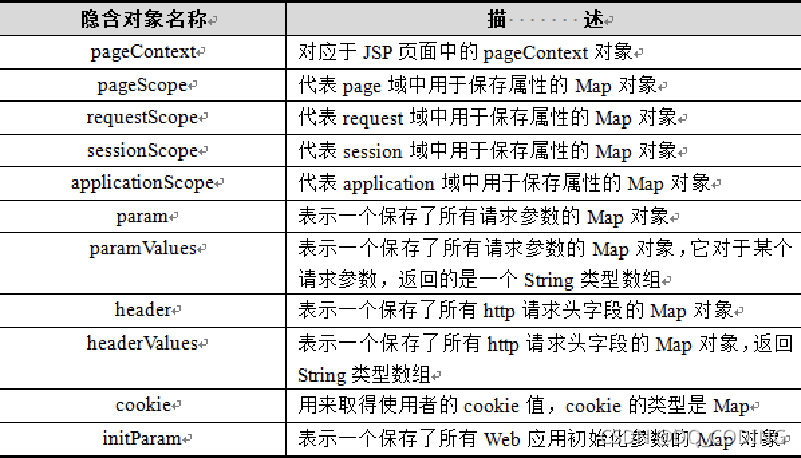
pageContext對象
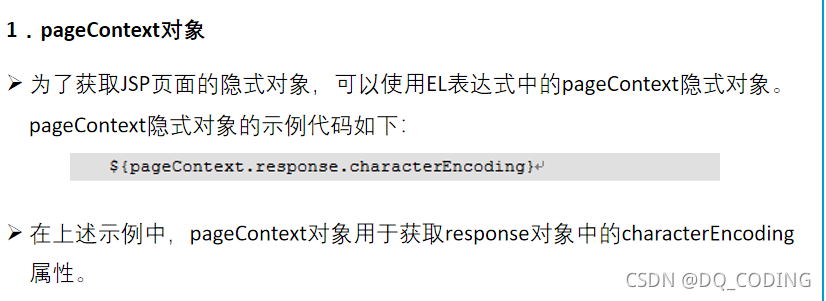
案例:
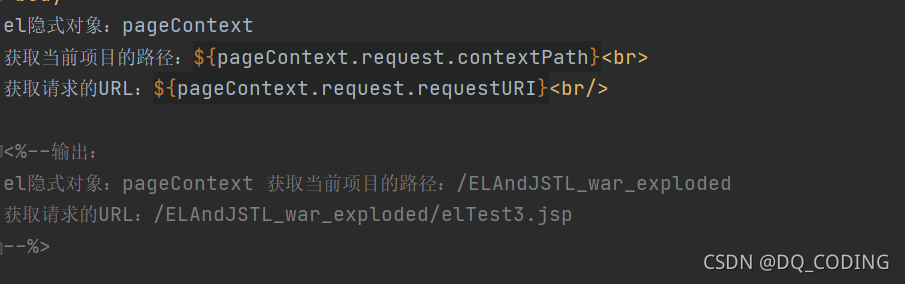
代碼:
el隱式對象:pageContext
獲取當前項目的路徑:${pageContext.request.contextPath}<br>
獲取請求的URL:${pageContext.request.requestURI}<br/><%--輸出:
el隱式對象:pageContext 獲取當前項目的路徑:/ELAndJSTL_war_exploded
獲取請求的URL:/ELAndJSTL_war_exploded/elTest3.jsp
--%>
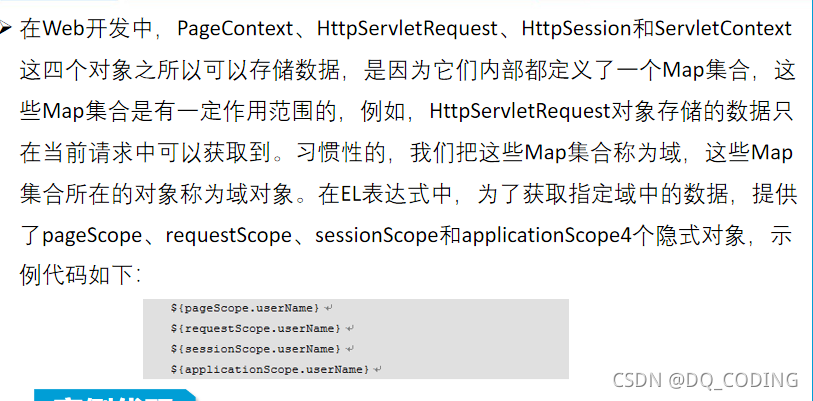
web域對象
案例:
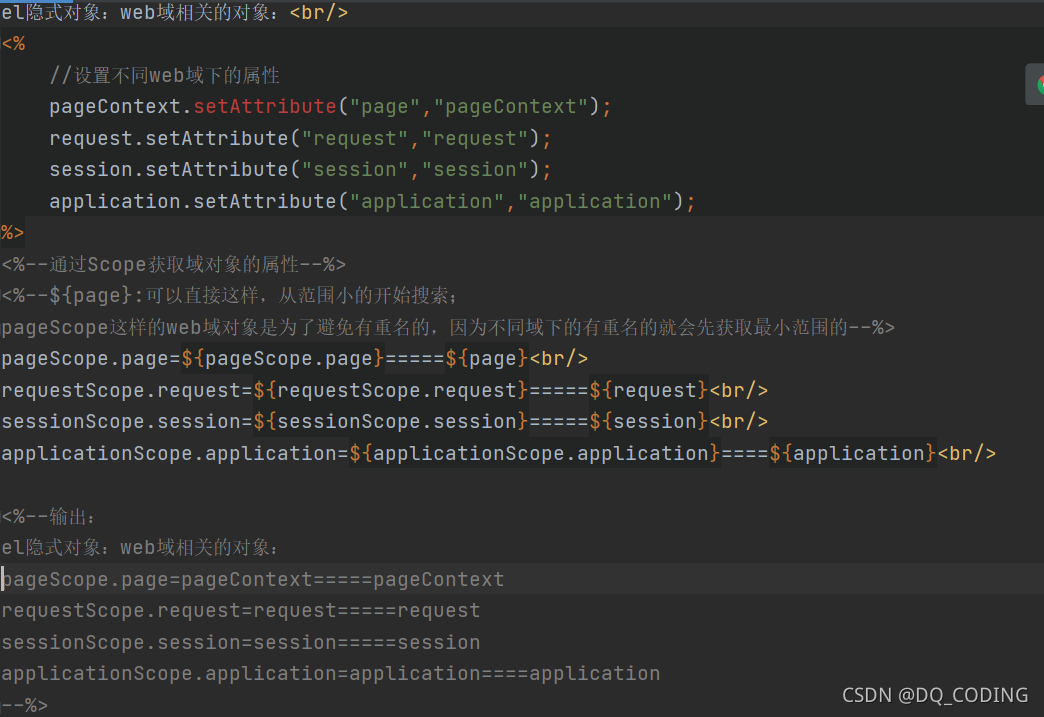
代碼:
el隱式對象:web域相關的對象:<br/>
<%//設置不同web域下的屬性pageContext.setAttribute("page","pageContext");request.setAttribute("request","request");session.setAttribute("session","session");application.setAttribute("application","application");
%>
<%--通過Scope獲取域對象的屬性--%>
<%--${page}:可以直接這樣,從范圍小的開始搜索;
pageScope這樣的web域對象是為了避免有重名的,因為不同域下的有重名的就會先獲取最小范圍的--%>
pageScope.page=${pageScope.page}=====${page}<br/>
requestScope.request=${requestScope.request}=====${request}<br/>
sessionScope.session=${sessionScope.session}=====${session}<br/>
applicationScope.application=${applicationScope.application}====${application}<br/><%--輸出:
el隱式對象:web域相關的對象:
pageScope.page=pageContext=====pageContext
requestScope.request=request=====request
sessionScope.session=session=====session
applicationScope.application=application====application
--%>
param和paramValues
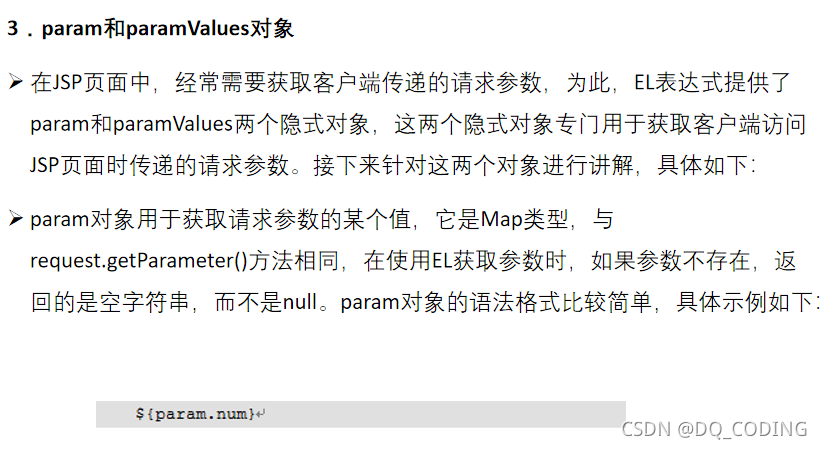
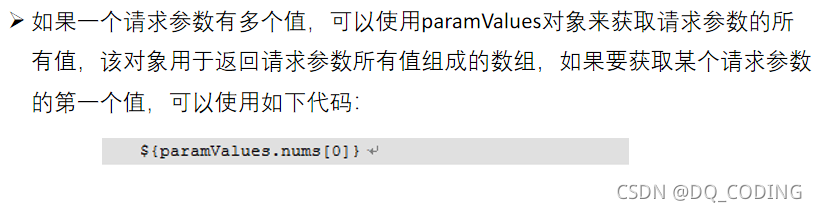
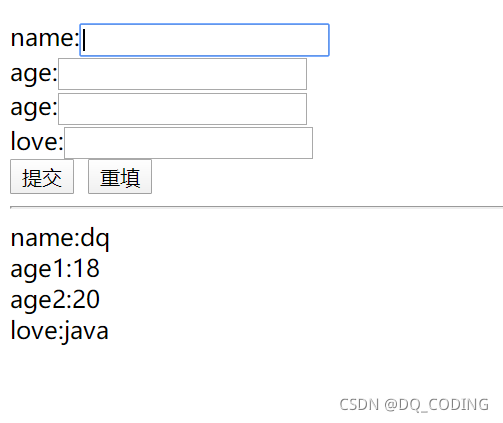
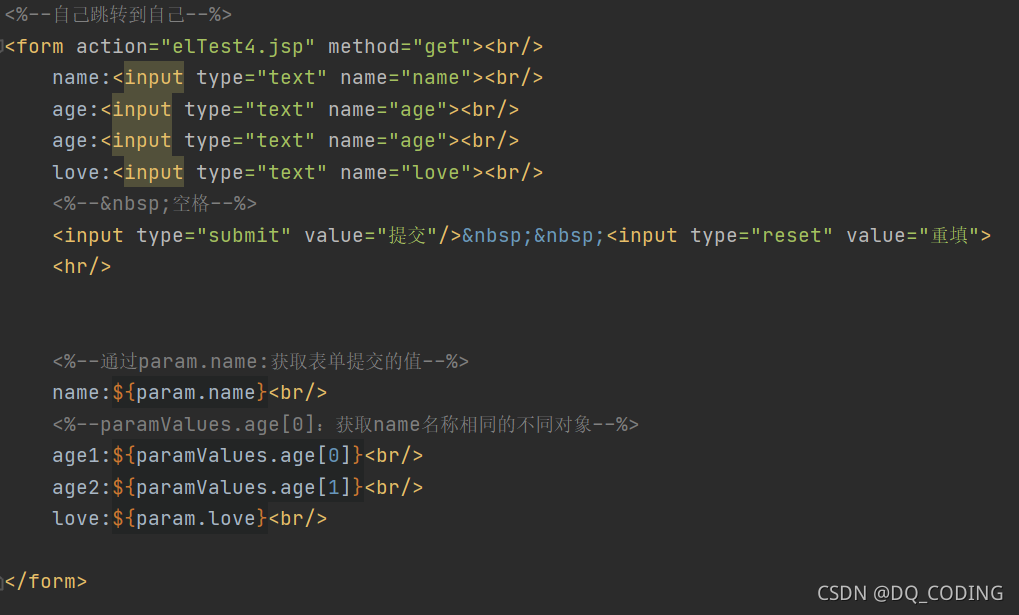
param案例:獲取表單的提交的數據并顯示
瀏覽器顯示:
jsp代碼:
<%@ page contentType="text/html;charset=UTF-8" language="java" %>
<html>
<head><title>Title</title>
</head>
<body><%--自己跳轉到自己--%>
<form action="elTest4.jsp" method="get"><br/>name:<input type="text" name="name"><br/>age:<input type="text" name="age"><br/>age:<input type="text" name="age"><br/>love:<input type="text" name="love"><br/><%-- 空格--%><input type="submit" value="提交"/> <input type="reset" value="重填"><hr/><%--通過param.name:獲取表單提交的值--%>name:${param.name}<br/><%--paramValues.age[0]:獲取name名稱相同的不同對象--%>age1:${paramValues.age[0]}<br/>age2:${paramValues.age[1]}<br/>love:${param.love}<br/></form></body>
</html>cookie對象
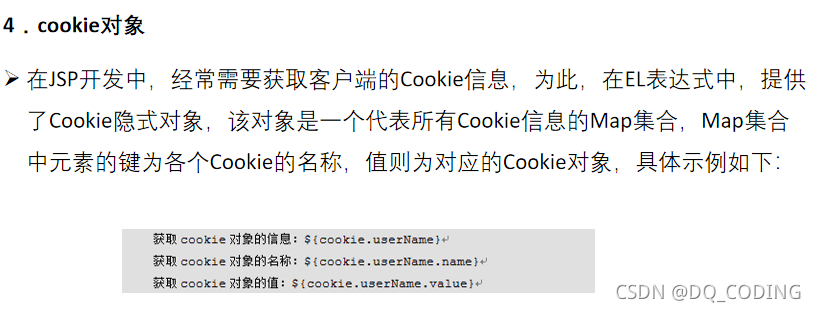
Cookie案例:
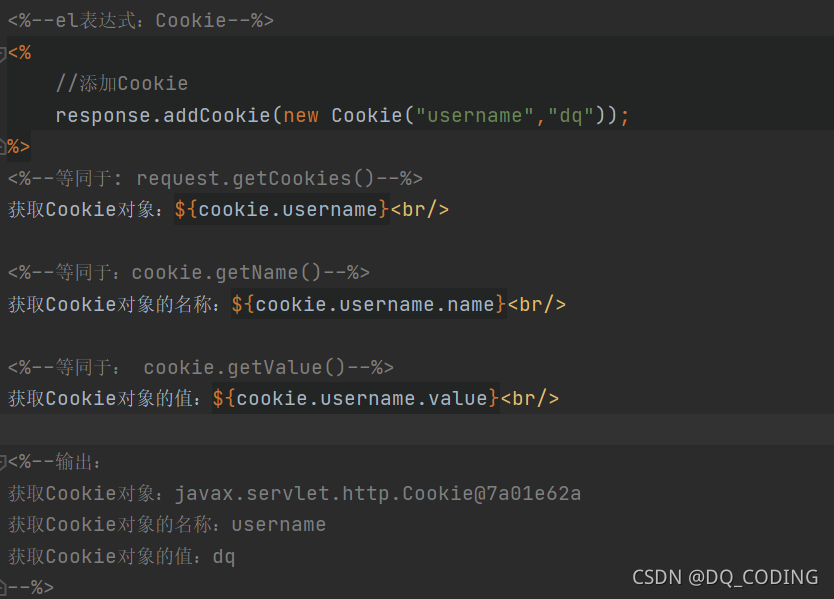
代碼:
<%@ page contentType="text/html;charset=UTF-8" language="java" %>
<html>
<head><title>Title</title>
</head>
<body>
<%--el表達式:Cookie--%>
<%//添加Cookieresponse.addCookie(new Cookie("username","dq"));
%>
<%--等同于: request.getCookies()--%>
獲取Cookie對象:${cookie.username}<br/><%--等同于:cookie.getName()--%>
獲取Cookie對象的名稱:${cookie.username.name}<br/><%--等同于: cookie.getValue()--%>
獲取Cookie對象的值:${cookie.username.value}<br/><%--輸出:
獲取Cookie對象:javax.servlet.http.Cookie@7a01e62a
獲取Cookie對象的名稱:username
獲取Cookie對象的值:dq
--%>
</body>
</html>


)


